Create a Filter for Common Event
Filter can be created for the Common Event Object Room. This simplifies the search for objects in System Browser.
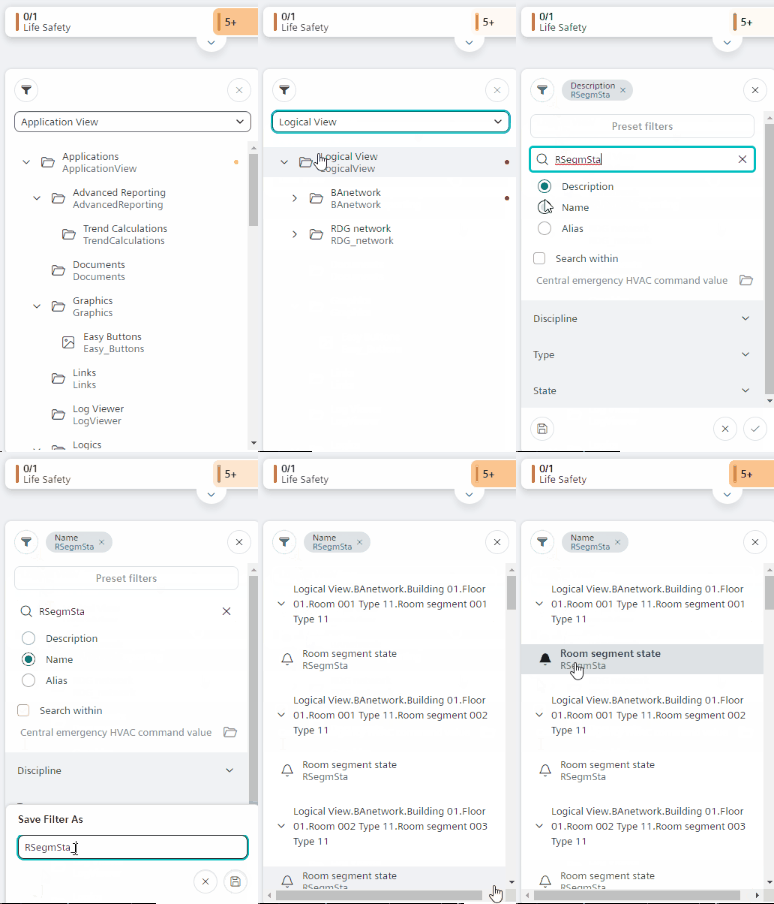
- In System Browser, select Logical View.
- Select Filter
 .
. - For rooms, enter the search string RSegmSta.
- for plants Enter the search string PltSta.
- Select Name.
- Select Save
 .
. - Enter a description for the filter.
- Select Save .
- The Common Event filter is created.