Plant Overview
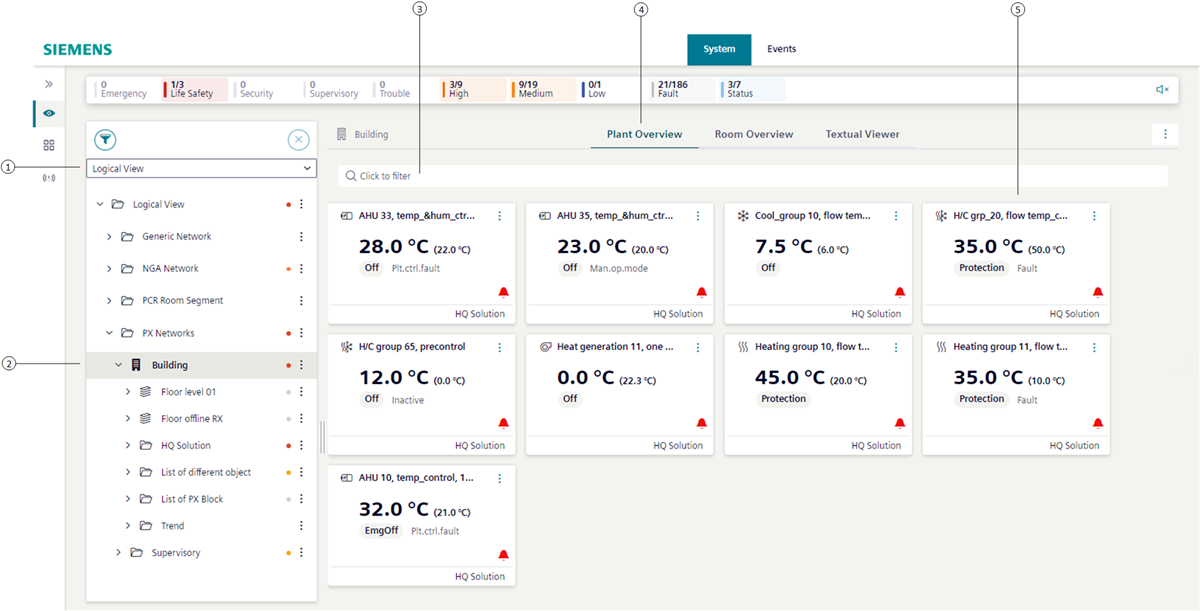
Plant overview building | |
1 | Open the plant overview in the logical or user view. |
2 | Select the building to open in plant overview. The plant overview is only displayed with subtype Campus, Building, or Floor. The subtype is set during engineering. |
3 | Predefined filters can refine the plant overview. |
4 | Select the Plant Overview tab to display all plants. |
5 | Displays detailed information on the plant state in a tile. |