Configure Room Overview for Flex Client
Scenario
The Room Overview displays in Flex Client if the object is a Campus, Building, or Floor (blue frame in the following image). The objects are configured by default to Order so that attributes must be reassigned to them.
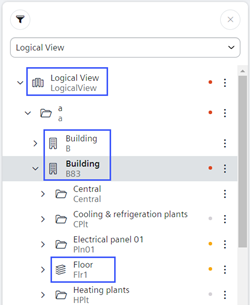

The higher levels for each floor or building must be modified with attributes to view them.
The appropriate attributes must also be assigned to any user view where applicable.
Overview
1 | Modify Logical View |