Set Your Favorite Homepage in Mobile Flex
You can set the homepage that displays when you log on to Flex web app on your mobile device or to which you want to go back.
Furthermore, whenever you tap the Desigo CC logo on top of the mobile Flex web app, your favorite homepage will be reloaded on your mobile device.
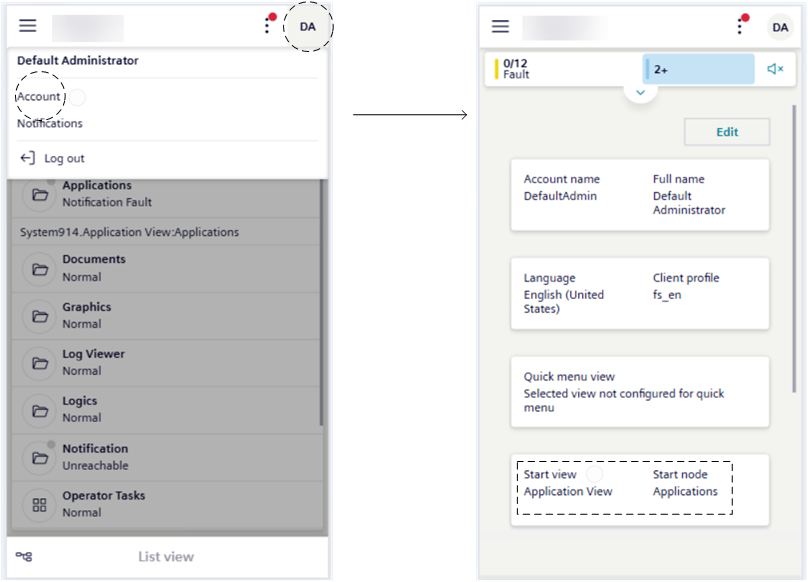
- Tap the [Account] menu.
- Tap Account.
- In the account screen, you can now set a homepage screen according to your preferences.
- For instructions, see steps 2 – 7 in Set Your Favorite Flex Client Homepage.