Personalize Notifications in Mobile Flex
Through the Notifications settings you can set the display and behavior of Flex notification messages for events, suppressed objects, and license.
- Tap the [Account] menu.
- Tap Notifications.
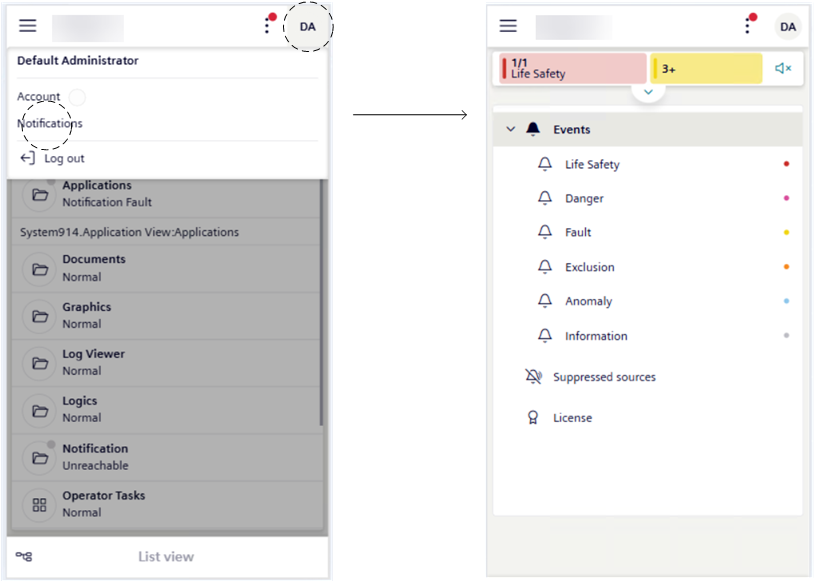
- Set notification messages according to your preferences. In Personalize Notifications, see:
- Set Style for Notifications
- Play Sound for Unprocessed Events
- Override Notifications Behavior for Event Categories
- Play a Beep Sound for New Suppressed Objects or License Notifications
- Once you complete the above settings then you can handle the notification messages. See Handle Notification Messages in Mobile Flex.