Groups Workspace for Mobile Flex
To view the Groups workspace, rotate your mobile screen and navigate to Notification > Groups.
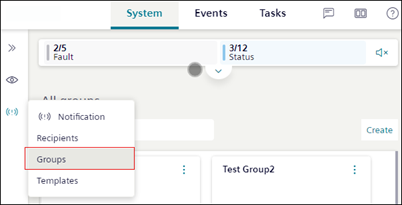
Groups Workspace
1 | Groups (tile) | Displays the name and description of the group. |
2 | Search | Allows you to search for a group by name. |
3 | Create | Creates a new recipient group. For more information, see Create Group in Creating and Managing Groups. |
4 | | Displays the following options:
|
1 | Group list | Displays the list of recipients and groups which are a part of the selected group. |
2 | Search | Allows you to search for a recipient or group by name. |
3 | | Navigates to the Group workspace window. |
4 | | Displays the following options:
|
5 | Show group | Navigates to the selected group. |
6 | Remove | Removes the recipient or sub-group from the parent group. |