Managing Notification Template in Mobile Flex
This section provides step-by-step instructions on how to change message template state in the mobile Flex web app.
- Tap and select System.
- Rotate your mobile screen to view the left side bar.
- In the left side bar, tap and navigate to Notification > Templates.
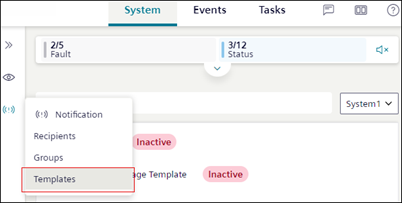
- The list of all the existing message templates displays.
- Select the message template and change the state to Active or Inactive from the State drop-down.
- The message template state is changes.