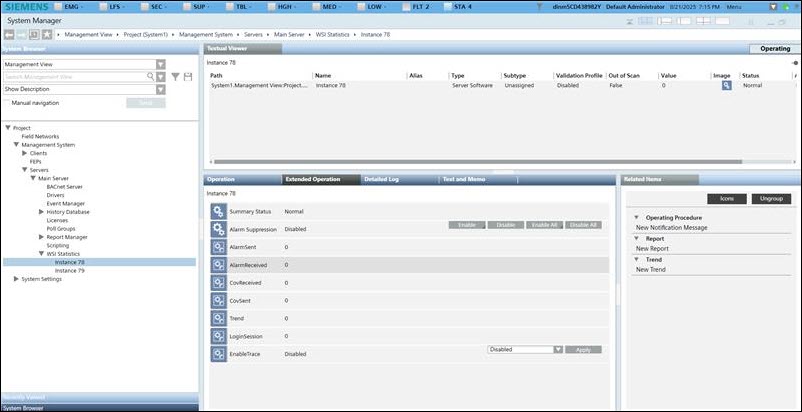
Enable Tracing for a WSI Instance
- In System Browser, select Management View.
- Select Project > Management System > Servers > Main Server > WSI Statistics > [WSI instance].
- Click the Extended Operation tab.
- The WSI instance properties display.
- In the EnableTrace drop-down list, change the default value from Disabled to Enabled.
- Click Apply.
- WSI begins recording values for all the WSI instance properties.