Display Common Event Objects
Saved filters can be applied to display certain Common Event object.
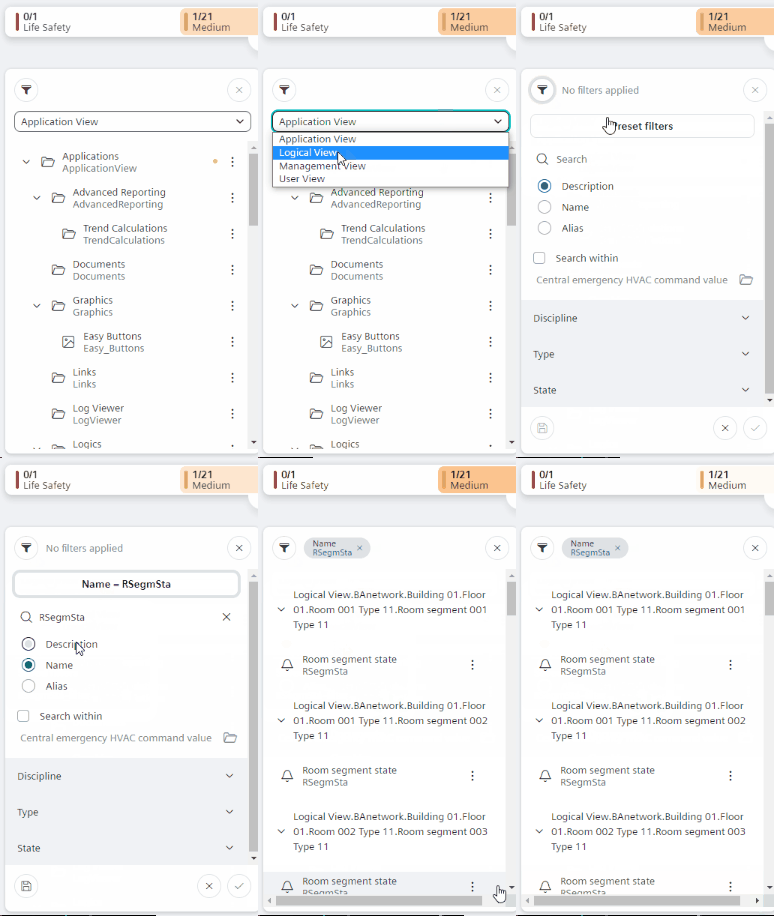
- A filter is available for Common Event Objects.
Create a Filter for Common Event
- In System Browser, select Logical View.
- Select Preset filters.
- Select the appropriate filter.
- Confirm
 .
. - The entries are filtered in System Browser.
- Select the desired Common Event object in System Browser.
- Select the Common Event tab.
- See Properties for information on commanding Object Properties.