Check Licenses in Mobile Flex
This section provides instructions to check Desigo CC licenses in the mobile Flex web app.
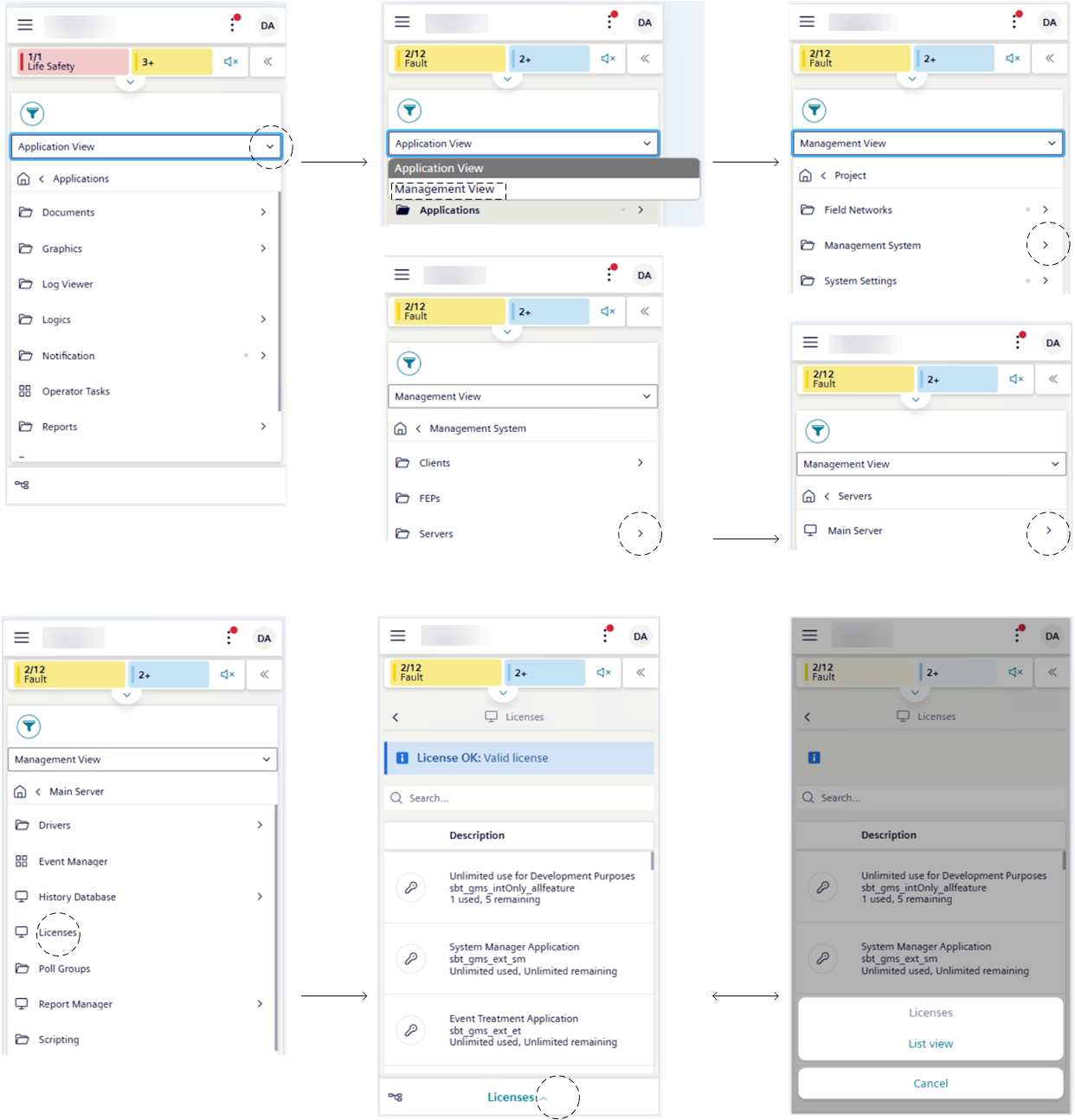
- Tap > System.
- List view displays on the screen.
- Tap .
- System Browser displays on the screen.
- Tap next to Application View and then choose Management View.
- Tap next to the Management System.
- Tap next to the Servers.
- Tap next to the Main Server.
- Tap License.
For more details, see Check Licenses.